What we tested
While building the trend prompts for TrendBooth we ran more than 60 test edits: 14 trends, three test faces and a test couple, with some prompts run several times in a row to see how much the results vary. The test faces are fictional people made with AI, so no real person's photo was used.
We ran the tests on Nano Banana, Google's image model, which is the one inside Gemini and the one TrendBooth uses. We didn't test ChatGPT's image model directly. The fixes below are about how the prompt is written, so they're worth trying in ChatGPT too. This was a practical test, not a lab study: what follows is what we saw, with the pictures to show it.
1. Say exactly what must stay the same
"Keep my face" is not enough. The model treats everything you don't protect as something it may change. The prompts that held up best listed the features that make you recognisable: face, skin tone, age, hairstyle, hair colour, facial hair, and often the clothes. They also said what not to do, because many models quietly beautify people.
Keep the person's face, skin tone, age and identity exactly as in the photo; do not beautify, slim or change their body.
2. Never mention something you don't have
This was the most surprising one. An older version of our claymation prompt said "keep their recognisable features, hairstyle and glasses". The model read the word glasses and put glasses on everyone, including people who don't wear any. Changing it to "only add glasses or jewellery if they are wearing them in the photo" fixed it.
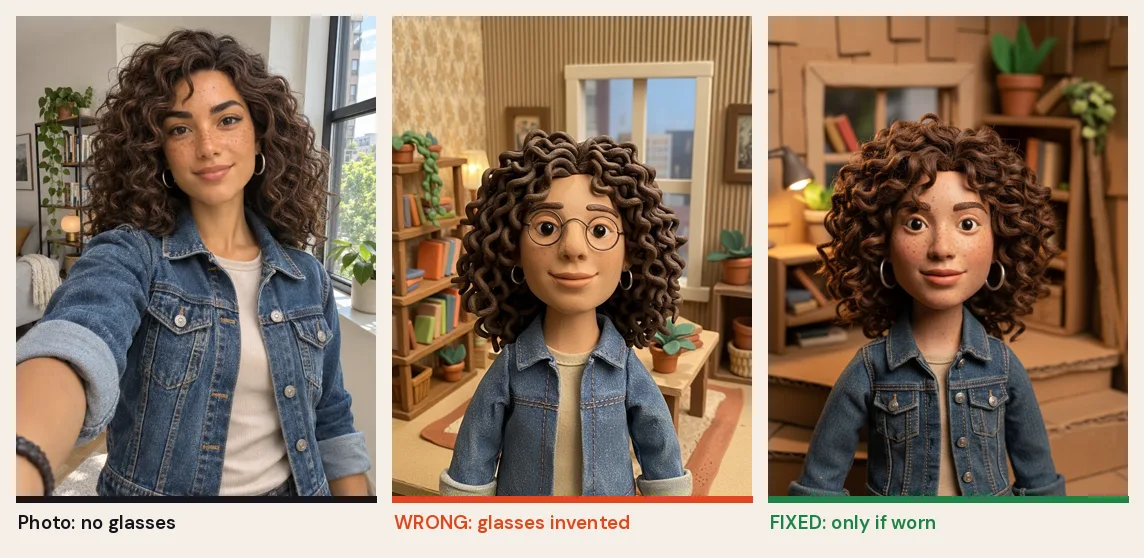
The same goes for hats, beards, earrings or tattoos: if the word is in the prompt, the model tends to draw it.
3. Describe the style concretely
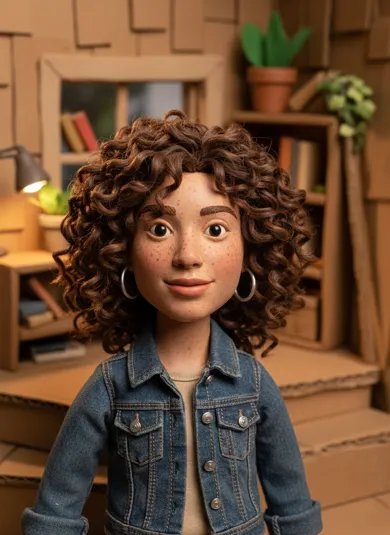
With a vague style request ("turn the person into a claymation figure"), the model often played it safe: two of our three test photos came back almost unchanged, just a real face with a slight texture. When the prompt described what a clay animator would actually do (an oversized head, simplified features, bead eyes, hair sculpted in chunky strands, visible thumbprints, "a real puppet photographed on a tabletop, not a 3D render") the results became proper clay figures, while the hairstyle, freckles and clothes stayed recognisable.
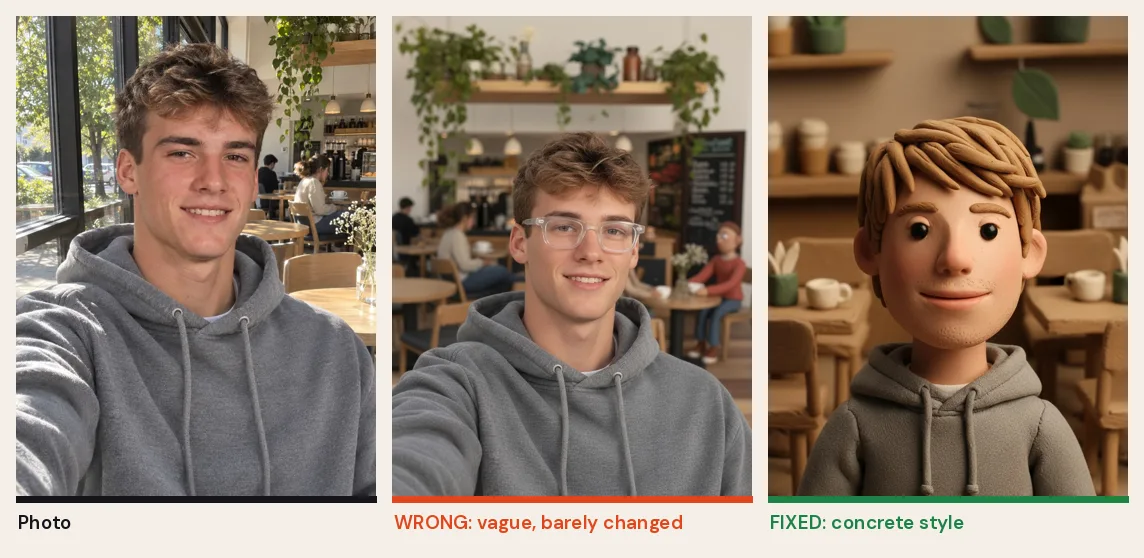
So the balance is: be precise about the style you want and precise about what must stay. Vague on either side, and the model guesses.
4. Say how many people should be in the picture
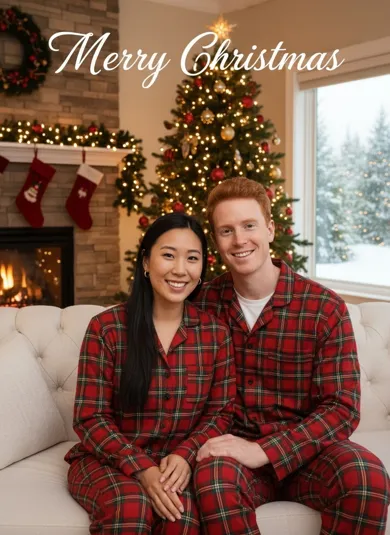
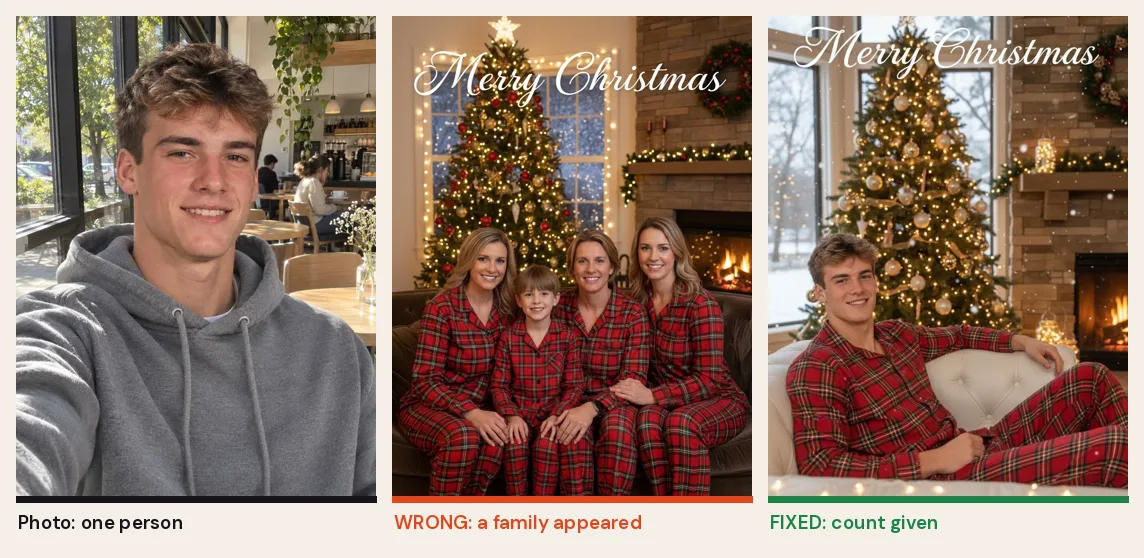
Our first matching Christmas pyjamas prompt said "keep the same number of people". Given a photo of one man, the model produced a whole family of four, children included, and the man's face was gone. Spelling it out fixed it: "count the people in the photo and show exactly that many; if there is one person, show only that one person; never add children or extra people".
5. Give any text word for word, and keep it short
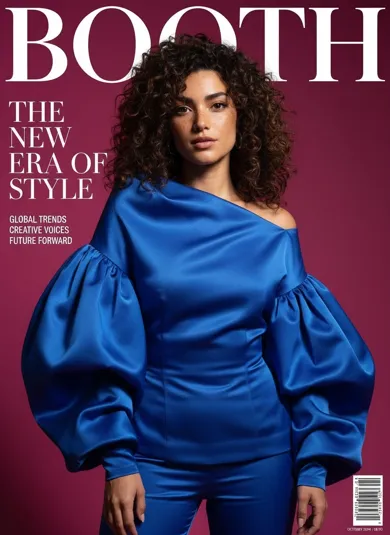
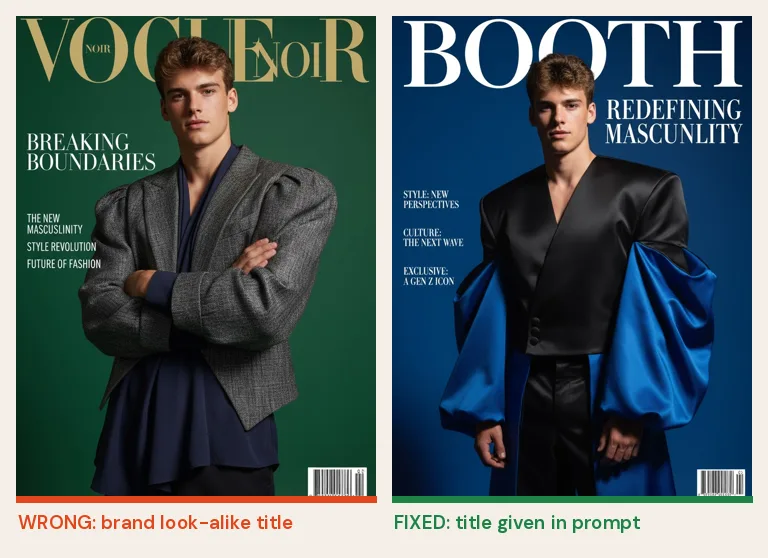
When we asked for a magazine cover without naming the magazine, the model invented titles that looked a lot like a famous real magazine. Naming the title in the prompt fixed that. Text also gets misspelled: one of our test covers said "MASCUNLITY". Short words and short headlines come out far cleaner than long sentences.
6. Make several versions and pick the best
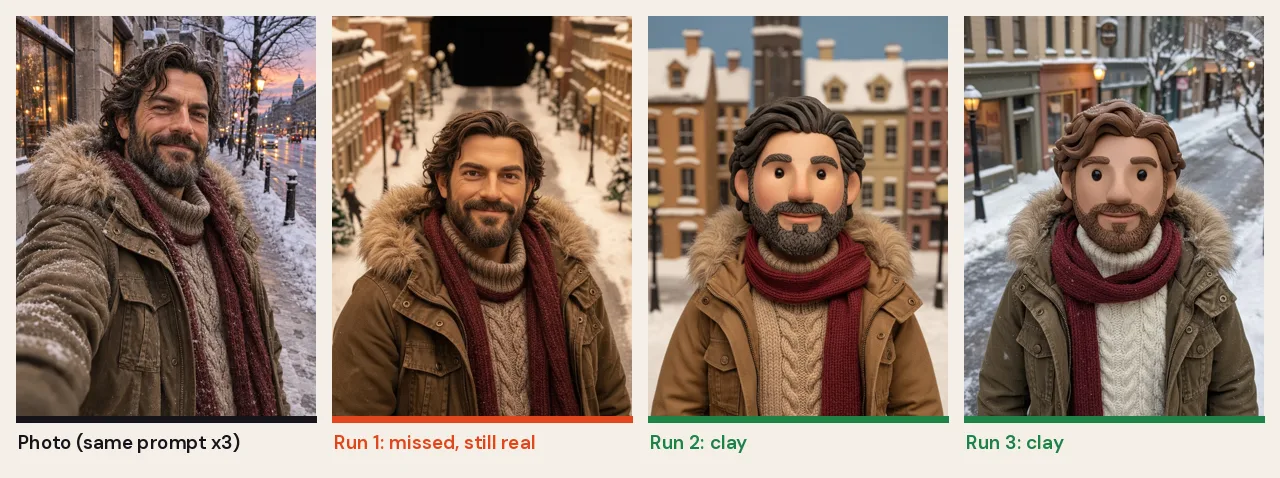
The same prompt on the same photo doesn't give the same result twice. We ran our final claymation prompt three times on the same bearded face: one run came out still looking like a real photo, two came out as clay. Faces with lots of detail, like beards or older skin, drifted back to realism more often than smooth young faces.
Sometimes the model also refuses a photo for no clear reason. On a few trends that happened in roughly 1 in 6 of our tries; the next try usually worked.
7. Start from a good photo, and change one thing at a time
- Use a clear, front-facing photo in good light, with nothing covering your eyes.
- Ask for one change per request: background first, then outfit, rather than everything at once.
- If a chat keeps drifting further from your face, start a new chat and attach the original photo again, instead of editing the last result.
A sentence you can paste into any prompt
Put this at the end of any AI photo prompt. It's the same rule every TrendBooth prompt ends with.
Keep the person's face, skin tone, age and identity exactly as in the photo; do not beautify, slim or change their body. Only add glasses or jewellery if they are wearing them in the photo. No text unless I ask for it, no brand logos.
Every prompt on our trend pages was rewritten after these tests, and each page shows real examples. If you'd rather skip the prompt work, TrendBooth makes the photo from your selfie in one tap, with four versions to pick from.
Everyone pictured on this page is a fictional person made with AI for testing.